
Translate Image Online for Screenshots, Manga, and UI
Translate Image is an image translator online for screenshots, comics, manga, menus, posters, and product visuals.
This AI image translator reads text, understands layout, and redraws translated copy naturally, making it a practical image translator for teams, creators, travelers, and anyone who needs fast visual localization.
Drag the slider to compare before and after. Your result appears here once ready.
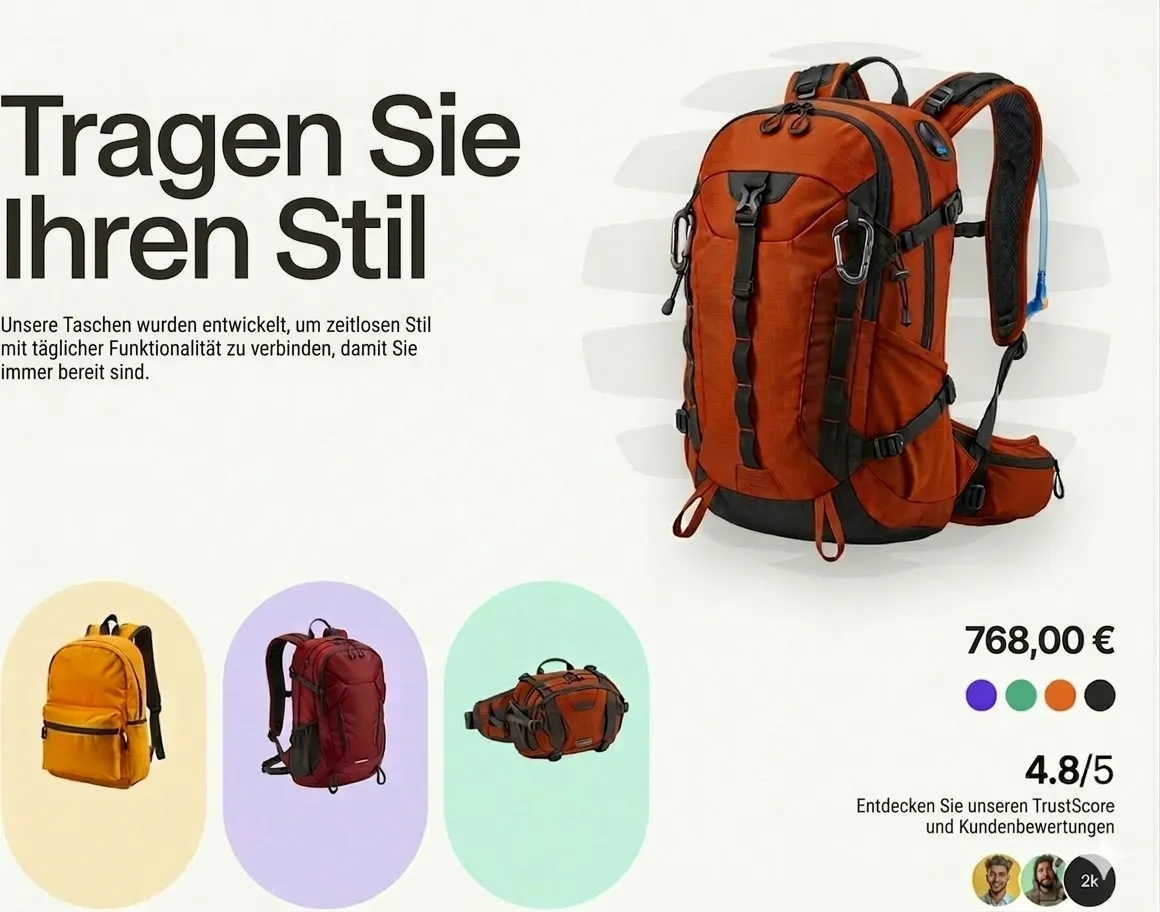
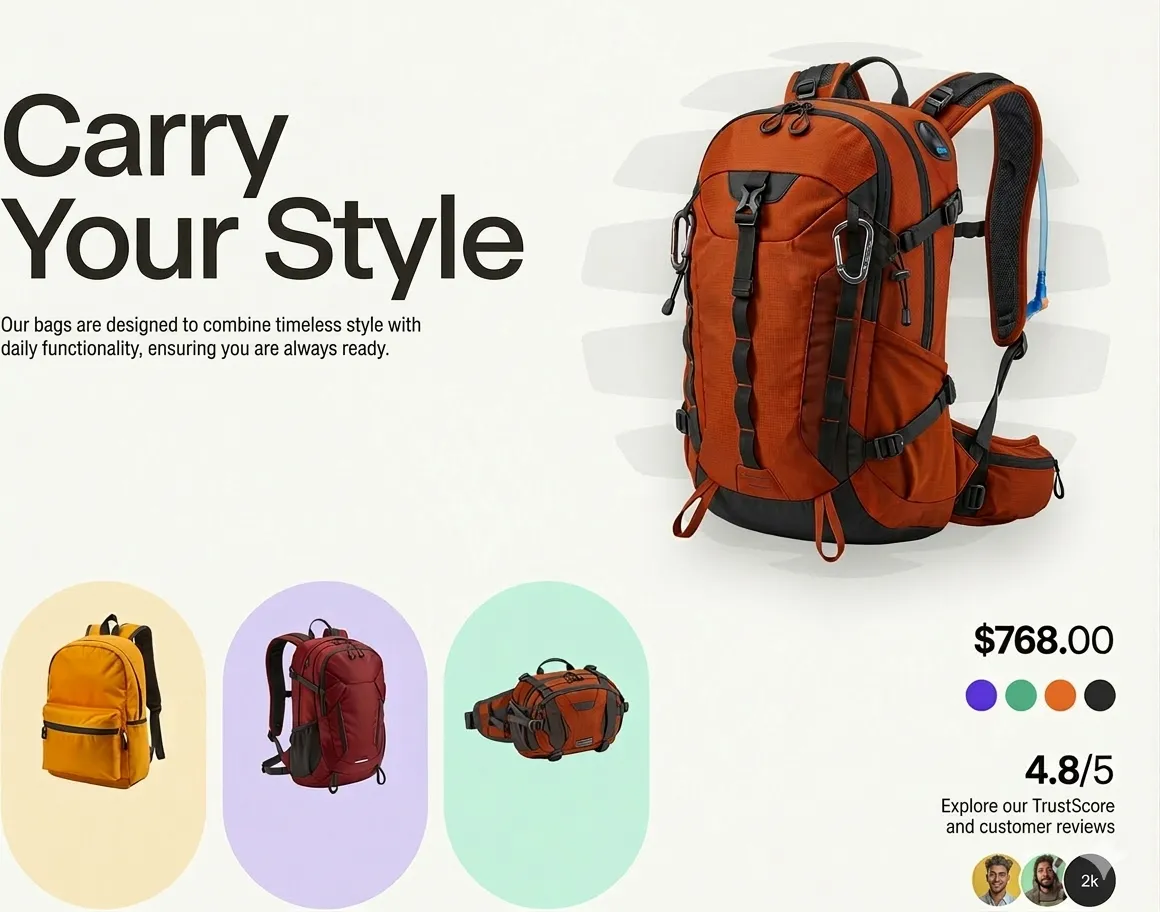
Why Translate Image Works Better
A useful AI image translation workflow has to preserve meaning and design at the same time. Translate Image is built to read context, translate naturally, and redraw text so the final result looks usable instead of patched together.
More Than Basic OCR
Translate Image does more than extraction. You get detection, translation, cleanup, and in-image replacement in one practical workflow.
Cleaner Multilingual Layouts
Translated text is adjusted to fit the original composition so screenshots, banners, posters, and product visuals stay readable after Translate Image processing.
Fast for Real Work
Use Translate Image for quick personal tasks or repeatable localization work across product, marketing, support, publishing, and content teams.
What Translate Image Can Translate
From everyday screenshots to stylized artwork, Translate Image fits a wide range of visual translation tasks, whether you need an online tool for travel, ecommerce, support, education, or content localization.
Screenshots and UI Images
Translate Image works well for app screens, onboarding flows, tutorials, dashboards, and website captures without losing layout structure.
Manga, Comics, and Webtoons
Use it as a manga image translator for speech bubbles, captions, sound effects, and serialized panels that need more natural in-image translation.
Posters, Menus, and Product Creatives
Translate Image also works well for restaurant menus, flyers, ecommerce images, ads, brochures, packaging mockups, and social graphics for new audiences.
Translate Image Technology Powered by Nano Banana Pro, Nano Banana 2, and GPT Image 2
Translate Image combines visual text detection, language understanding, and layout-preserving image generation. Nano Banana Pro strengthens recognition and editing workflows, Nano Banana 2 improves cleaner replacement on complex visuals, and GPT Image 2 adds another high-quality image editing path for sharper rewrites and more flexible output quality choices.
Context-Aware Text Understanding
The model reads text together with nearby objects, layout, and intent, which helps preserve tone, meaning, and visual hierarchy.
Natural Visual Consistency
Fonts, spacing, blocks, and empty areas are regenerated to blend with the original image instead of looking pasted on after Translate Image generation.
Better Handling for Complex Images
Dense screenshots, stylized manga panels, mixed typography, and low-contrast text are easier for Translate Image to process cleanly.
How to Use Translate Image in 3 Steps
You can use Translate Image online in a few clicks:
Upload Your Image
Upload a screenshot, manga page, poster, menu, sign, or product image. Translate Image supports JPG, PNG, and WebP.
Choose the Target Language
Choose the language you want and let Translate Image read the text, understand the layout, and prepare a natural rewrite.
Download the Translated Image
Review the result and download a cleaner translated visual that is ready to share, publish, study, or localize further with Translate Image.
What a Modern Visual Translation Tool Should Include
Translate Image combines OCR, translation, and visual replacement in one streamlined workflow, giving you an AI image translator, an image text translator, and a practical image to text translator in one place.
In-Image Translation
Translate Image places translated copy back inside the image instead of returning a separate block of extracted text.
Accurate Text Detection
Translate Image captures visible text from screenshots, posters, comics, scanned pages, and product visuals with stronger context awareness.
Manga Image Translator Support
Manga image translator support helps speech bubbles, captions, and panel layouts read more naturally after translation.
Image to Text Support
Use it as an image to text translator when you need to extract copy before rewriting, reviewing, translating, or repurposing it.
Online and Easy to Use
Run Translate Image online in your browser with a clean upload flow and no desktop installation.
Private Processing
Translate Image is built with privacy in mind so your files are handled more carefully during visual translation workflows.
Built for Real Translate Image Workflows
Translate Image is built around the kinds of visuals people actually need to localize every day.
Screenshots app screens, product pages, chats, guides, and tutorial captures
app screens, product pages, chats, guides, and tutorial captures
Manga speech bubbles, captions, sound effects, and stylized panels
speech bubbles, captions, sound effects, and stylized panels
Creatives menus, posters, ads, packaging, and product images
menus, posters, ads, packaging, and product images
Why Teams Pick Translate Image
Teams, creators, and everyday users rely on Translate Image when plain OCR is not enough and layout still matters.
I use Translate Image for UI screenshots when we share builds with overseas partners. The translated images stay readable, so I do not have to recreate every screen in Figma.
Emily Carter, Product Designer
Emily Carter
Product Designer
For manga pages and dialogue-heavy panels, Translate Image handles speech bubbles much better than generic OCR tools. The page still looks like a manga page when it is done.
Jason Park, Manga Reader
Jason Park
Manga Reader
We localize product images for different markets every week. Translate Image saves our team a lot of production time on banners, labels, and promo cards.
Sarah Mitchell, Ecommerce Operator
Sarah Mitchell
Ecommerce Operator
I use Translate Image to translate signs, menus, and museum cards from my trips. It is faster to understand the scene when the words stay inside the original photo.
Marco Rossi, Travel Blogger
Marco Rossi
Travel Blogger
Our help articles rely on annotated screenshots. Translate Image makes it much easier to prepare localized visuals without rebuilding every asset from scratch.
Lisa Wang, Support Lead
Lisa Wang
Support Lead
We test ad creatives in multiple languages. Translate Image is especially useful because the translated copy fits the original design instead of breaking it.
Alex Johnson, Growth Marketer
Alex Johnson
Growth Marketer
Translate Image FAQ
Here are the questions people ask most when choosing an online tool for screenshots, manga, menus, and product visuals.
Ready to Use Translate Image for Layout-Preserving Translation?
Upload a screenshot, manga panel, poster, or product image and use Translate Image as an AI image translator online to get a cleaner translated result in minutes.